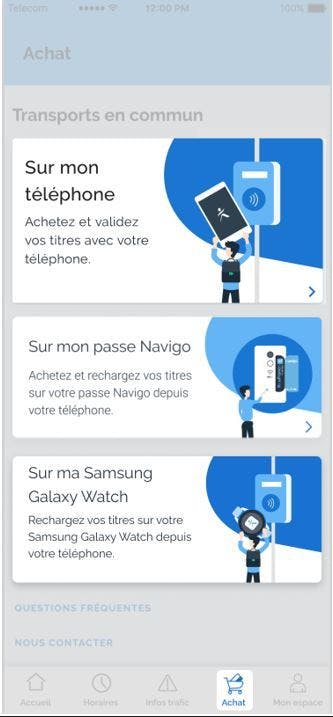
How do I buy and charge a ticket on my Android phone or Samsung Galaxy Watch?
Before a ticket is loaded on your Android phone or Samsung Galaxy Watch for the first time, an additional installation step is required.
Once this installation is successful, go to the Purchasing home screen:
- Purchase > On My Phone> Buy a ticket
- Purchase > On my Samsung Galaxy Watch> Buy a ticket
The app then displays the different tickets available for purchase. You select the ticket and, if necessary, the date, fields, and quantity.
Before payment, you are invited to authenticate yourself on Île-de-France Mobilités Connect in order to benefit from several advantages: registration of your payment method, nominative proof of purchase, consultation of your latest purchases, better handling of your after-sales requests, etc.
This authentication is mandatory for the purchase of Navigo Month and Navigo Week passes, in order to be able to identify you during a check.
For payment, you must have a credit card and enter an email address to which the proof of purchase will be sent to you. This address is pre-filled if you are authenticated on Île-de-France Mobilités Connect. Depending on your mobile, you can also pay for your transport tickets with Samsung Pay.
After payment, the ticket is loaded into your phone or Samsung Galaxy Watch and you can travel with it.