I would like to link my new Navigo pass or my Navigo pass on a smartphone to the Bicycle Parking service
To associate my new Navigo pass (physical or on a smartphone) with my Bicycle Parking, I must follow the following steps:
From a computer (website)
- I log in to Mon espace Île-de-France Mobilités
- I access My services > Bicycle parking
- I select the car park concerned
- I click on Contact the after-sales service
- I choose the type of request " Complaint ", the reason " Bicycle ", the category " Bicycle parking ", more precisely " I am experiencing a malfunction in the bicycle parking "
- I enter the name of the car park concerned by the request in the " Name of the nearby station " field
- I enter the number of the new medium and the type of the new medium (Smartphone, Navigo Physique, etc.) in the " Your message " field
If my support is a Navigo pass on a smartphone and I don't know its number, I can consult the dedicated procedure: Find the number of my Navigo pass on smartphone.
8. I complete and send the form
From the Île-de-France Mobilités app
- I open the application and I access My Space
- I select Manage my services > Bicycle parking
- I click on Manage my subscriptions
- I select the car park concerned
- I select Contact the after-sales service
- I choose the type of request " Complaint ", the reason " Bicycle ", the category " Bicycle parking ", more precisely " I am experiencing a malfunction in the bicycle parking "
- I enter the name of the car park concerned by the request in the " Name of the nearby station " field
- I enter the number of the new medium and the type of the new medium (Smartphone, Navigo Physique, etc.) in the " Your message " field
If my support is a Navigo pass on a smartphone and I don't know its number, I can consult the dedicated procedure: Find the number of my Navigo pass on smartphone. - I complete and send the form
Some car parks are not compatible with smartphone access. I must first check that my car park is compatible with smartphone access:
- I go to my Parking Vélo Île-de-France Mobilités space
- I select my car park from the "Around me" map, the map of car parks Parking Vélo Île-de-France Mobilités or the page dedicated to the car park
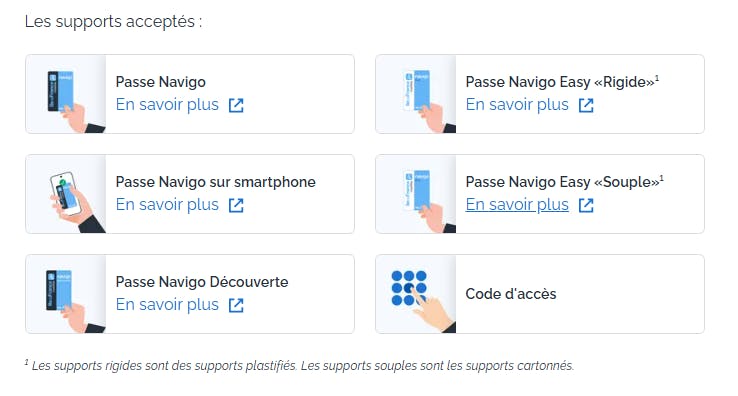
- I access the car park page and consult the "Accepted media" section
- I check that the mention "Navigo pass on smartphone" appears among the proposed media. If this mention does not appear, my car park is not compatible with access via smartphone.
If I have several Bicycle Parking subscriptions, the process of changing the vehicle must be carried out separately for each car park.